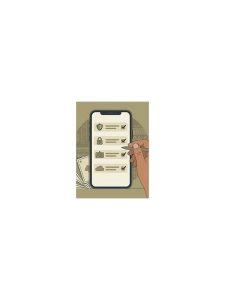
Rummy Safety: Recognize Risky Links and Unofficial Support

Online card-game users may encounter download links, promotional messages, or support accounts outside the app they normally use. A familiar logo or urgent wording does not prove that a message is genuine. Protecting an account starts with treating unexpected links and requests as unverified until they pass several simple checks.
Look at the sender and the destination separately. A message can appear to come from a known name while directing you to a different domain or a shortened URL. Do not enter a password, one-time code, payment detail, or identity document on a page reached through an unexpected message. Instead, open the official app or type a previously verified address yourself and look for the same notice there.
Be cautious with files that request unusual permissions. A game may reasonably need network access and storage functions, but a download should not be trusted merely because it installs successfully. Check the source, review the publisher information, and keep your device’s security features enabled. If a file asks you to disable protection, that is a warning rather than a routine installation step.
Support conversations deserve the same care. Genuine support should not need your full password or a private verification code. Record a ticket number through the official channel, redact sensitive information from screenshots, and avoid moving the conversation to a personal account simply because someone promises faster service. If money or account access is at stake, pause and verify through a second official route.
If you already opened a suspicious link, close it and avoid submitting more information. Change affected credentials through the official site, review active sessions and transactions, and contact the platform using its published support method. Run a device security check if a file was downloaded. Safety is not about assuming every message is malicious; it is about making verification a normal step before trust, payment, or access. Use a simple pause rule: unexpected urgency plus a request for private information means you stop and verify independently. Legitimate services can have deadlines, but pressure should not remove your ability to check the source. Save official help pages in a bookmark, keep software updated, and tell a trusted person if an account incident involves money. Small preparations make it easier to reject a risky shortcut when the message is designed to create anxiety. When in doubt, leave the page, verify through a channel you opened yourself, and return only after the request is confirmed.