Rummy Safety: Keep Play Records Private on Shared Devices
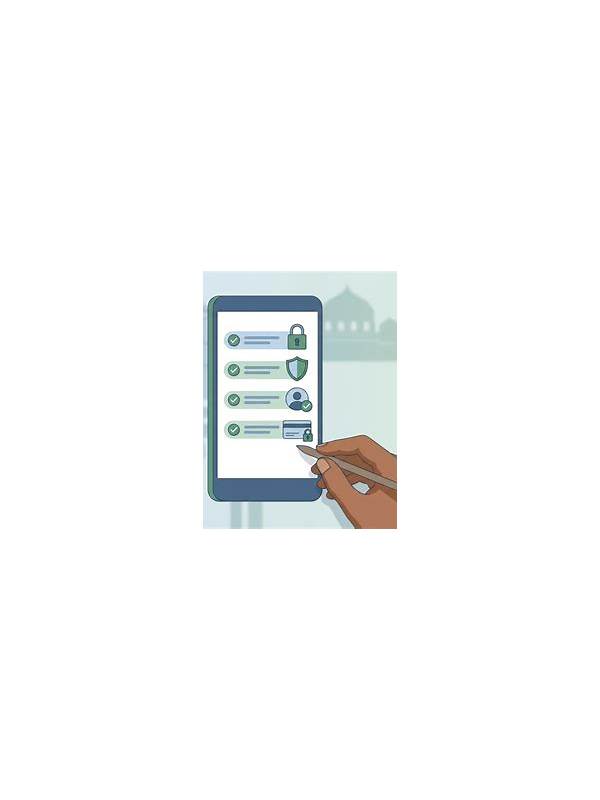
Shared devices create privacy risks that have little to do with the game itself. Saved logins, notifications, screenshots, and payment prompts can reveal account details to the next person who uses the device. A few settings and habits can reduce that exposure.
Start with account separation. Use the device’s guest or separate-user feature when available, and sign out of the game account after a session if other people use the device. Do not save passwords in a browser profile that is shared. Check whether the app displays account identifiers, balances, or messages in notifications and turn off sensitive previews from the device settings.
Review local files. Screenshots of receipts, identity documents, or support conversations should not remain in a shared photo folder. Delete them only after confirming they are not needed, and use the device’s protected storage for records you must retain. Do not forward verification documents to personal group chats simply because they are convenient. Keep copies in a secure, appropriate location instead.
Watch for account switching errors. Before entering a payment or profile screen, confirm the displayed account and recipient. Shared devices may retain another person’s session, and a rushed tap can create a serious mistake. Use official in-app routes and avoid entering credentials after following an unexpected link.
Keep the device itself protected with a screen lock and current updates. If the device is lost, use the platform’s account-security tools from a known device to sign out sessions and change credentials. Never share one-time codes with another person, even if the request sounds like support. Privacy is part of responsible play: the aim is to keep entertainment activity, identity details, and financial information visible only to the account owner and the legitimate service that needs them. Also review browser history and autofill when the device is shared, but do not erase another person’s data without permission. Use private browsing only as a limited convenience; it is not a substitute for signing out or securing saved credentials. If you suspect access, change the password through the official service and check for unfamiliar sessions. Avoid discussing account activity where another person can read the screen. Clear notifications after resolving them, and lock the device before leaving it unattended. These ordinary habits are simple, but they prevent many accidental disclosures.
If a shared device is managed by an employer, school, or family administrator, assume activity may be visible to that administrator. Use a personal, trusted device for sensitive account actions when appropriate, and follow the service’s privacy and security guidance.