Rummy Safety: Check Public Wi-Fi Before a Session
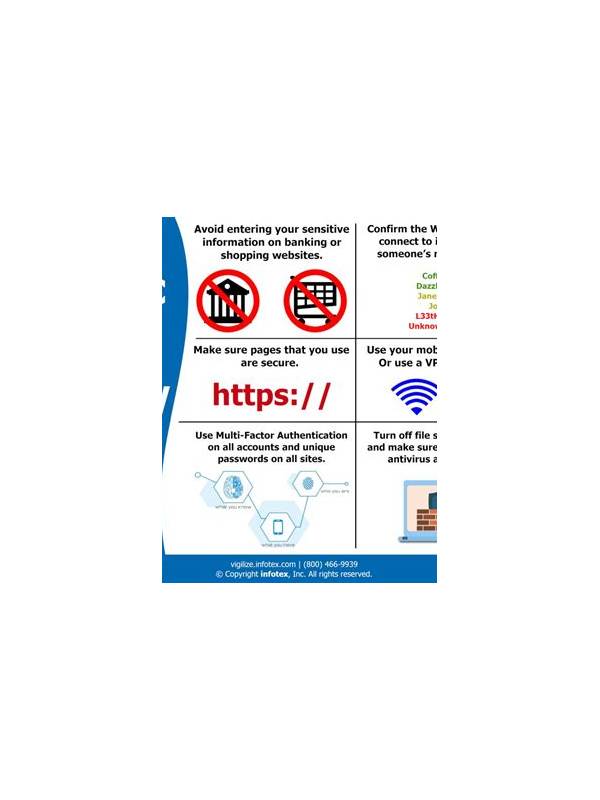
Public Wi-Fi can be convenient, but it adds uncertainty to any account-based game session. The safest choice for sensitive activity is a trusted private connection. If you decide to play on a public network, spend a minute checking the environment and the device before opening the app.
First, confirm the network name with the venue rather than selecting a similar-looking hotspot. Avoid networks that require unusual downloads, browser extensions, or a request to install an unknown certificate. A captive portal for ordinary terms or access instructions may be expected, but an unexpected prompt for account credentials should make you stop and verify the source.
Use the app’s normal sign-in route and do not follow account links received through chat or pop-ups. Check that the app is updated from its established distribution channel. Turn off automatic connection to nearby open networks so the device does not switch connections while a session is active. If the signal is unstable, end the session rather than repeatedly retrying actions.
Keep personal information out of game chat, especially while using a shared or public network. Do not discuss passwords, verification codes, payment details, or recovery information. If the app offers a security page, review recent sign-ins later from a trusted connection. Enable device locking and use the platform’s available account protections before traveling.
Finally, have a simple exit rule. If the network drops, the app displays an unfamiliar security warning, or a payment screen behaves unexpectedly, close the session and investigate later. Do not make a hurried deposit or withdrawal simply because the connection is unreliable. Public Wi-Fi is a convenience, not a reason to compromise account safety or decision quality.
Consider the physical setting too. Someone nearby may see your screen or hear a conversation. Lower notification previews, use a private viewing angle, and do not leave the device unattended. If account changes or money are involved, waiting for a trusted connection and private space is usually the calmer choice. Technical reliability and personal privacy both support better decisions during a session. Avoid saving a public network as trusted unless you understand its owner and device settings. If the connection repeatedly fails, wait or switch to a trusted mobile connection rather than reconnecting during account changes. A short delay is safer than acting through an environment you cannot verify. Review the network choice separately from the card result. A win does not prove the connection was safe, and a lost hand does not prove the network caused it. Keep technical, privacy, and playing decisions distinct so each can be improved with appropriate evidence.